⬡ Image Process
Pre-process an image bundle for the KSampler. Available as an all-in-one node or as 3 dedicated task-specific nodes.
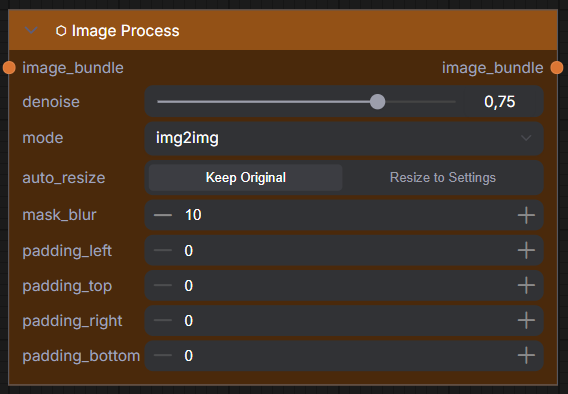
All-in-One: ⬡ Image Process
Sets the processing mode, denoise, and optional parameters on an image bundle.
Inputs
| Name | Type | Required | Default | Description |
|---|---|---|---|---|
image_bundle |
UME_IMAGE |
✅ | — | Input image bundle from Image Loader |
denoise |
FLOAT |
✅ | 0.75 | How much the AI changes (1.0 = full redraw, 0.5 = keep half) |
mode |
COMBO |
✅ | img2img | Processing mode: img2img, inpaint, outpaint |
auto_resize |
BOOLEAN |
❌ | OFF | Resize image to match Generation Settings dimensions |
mask_blur |
INT |
❌ | 10 | Soften mask edges for inpaint/outpaint blending |
padding_left |
INT |
❌ | 0 | Outpaint pixels — left side |
padding_top |
INT |
❌ | 0 | Outpaint pixels — top |
padding_right |
INT |
❌ | 0 | Outpaint pixels — right side |
padding_bottom |
INT |
❌ | 0 | Outpaint pixels — bottom |
⬡ Image Process (Img2Img)
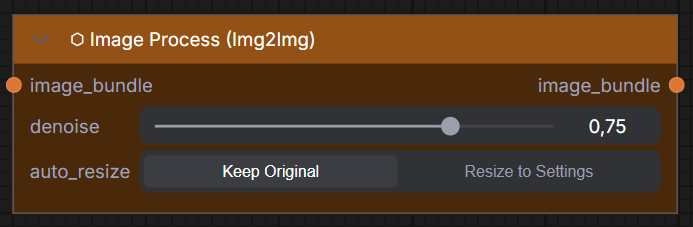
Dedicated node for img2img workflows — the simplest Image Process node.
Inputs
| Name | Type | Required | Default | Description |
|---|---|---|---|---|
image_bundle |
UME_IMAGE |
✅ | — | Input image bundle |
denoise |
FLOAT |
✅ | 0.75 | Strength of AI transformation |
auto_resize |
BOOLEAN |
❌ | OFF | Resize to match Generation Settings |
⬡ Image Process (Inpaint)
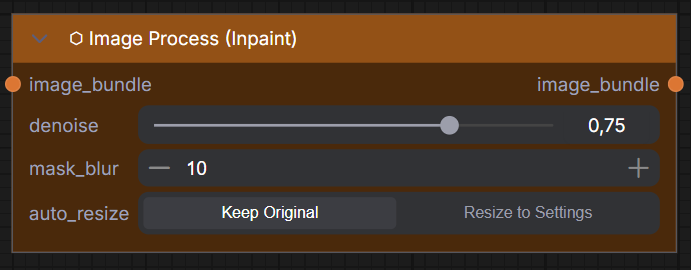
Dedicated node for inpainting — fills masked areas (white = modify).
Inputs
| Name | Type | Required | Default | Description |
|---|---|---|---|---|
image_bundle |
UME_IMAGE |
✅ | — | Input image bundle (with mask painted in Image Loader) |
denoise |
FLOAT |
✅ | 0.75 | How much the AI changes inside the mask |
mask_blur |
INT |
❌ | 10 | Soften mask edges for smooth blending |
auto_resize |
BOOLEAN |
❌ | OFF | Resize to match Generation Settings |
⬡ Image Process (Outpaint)
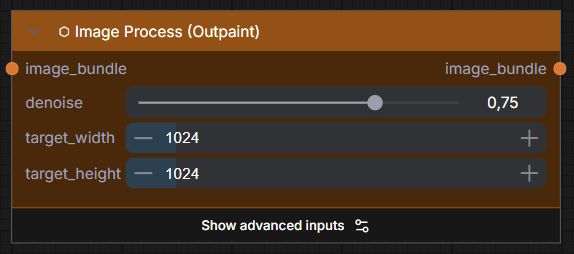
Dedicated node for outpainting — specify the desired final image size instead of raw padding.
How it works
This node is passive — it tags the image bundle with target dimensions and alignment. The KSampler handles the actual execution: resize source → compute padding → apply mask → sample.
Inputs
| Name | Type | Required | Default | Description |
|---|---|---|---|---|
image_bundle |
UME_IMAGE |
✅ | — | Input image bundle |
denoise |
FLOAT |
✅ | 0.75 | How much the AI generates in the padded areas |
target_width |
INT |
✅ | 1024 | Desired final width of the outpainted image |
target_height |
INT |
✅ | 1024 | Desired final height of the outpainted image |
horizontal_align |
COMBO |
❌ (advanced) | center | Where to place source horizontally: left, center, right |
vertical_align |
COMBO |
❌ (advanced) | center | Where to place source vertically: top, center, bottom |
mask_blur |
INT |
❌ (advanced) | 10 | Soften the outpaint mask edges |
Example
Source image: 1024×1024 → Target: 1344×1024 with center alignment:
- Horizontal padding: 320px total → 160px left, 160px right
- Vertical padding: 0px (already matches)
- The AI generates content in the new areas, blending naturally
Outputs
All Image Process nodes output:
| Name | Type | Description |
|---|---|---|
image_bundle |
UME_IMAGE |
Configured image bundle ready for KSampler |